
My boys love Minecraft. Well, at least they did when they were younger. Now they enjoy playing it with their little sister. Minecraft, if you are unfamiliar with it, is an online virtual world that can be played in different modes, the two most common being survival and create. The point of the game is to “dig, build, and survive” (in survival mode). The game delights in its pixelated graphics, an homage to early gaming culture (think Mario Bros. and Pac-Man). Creators take great pride in creating elaborate mazes, fantastical structures, and replicas of actual buildings. My boys would spend hours designing precise floorplans for their homes and bases in Minecraft. I wish I had Minecraft to play with when I took drafting and mechanical drawing in high school. As I ventured through the course materials for the most recent module of the adult online learning class I am taking at BSU (EDTECH 522) I kept thinking of Minecraft.
Let me tell you why.
Module 3 in EDTECH 522 tackles the topic of online learning tools, which take advantage of Web 2.0 technology. Web 2.0 is not a standard per se, but refers to the shift from static pages to dynamic content. Think Facebook, Twitter, blogs, Pinterest, YouTube, and all those other apps and sites that enable the easy creating and sharing of information. These are fun, engaging, and exciting tools that help us connect to family, friends, coworkers, and strangers all at the click of a button and the typing of some keys. Educators seeking to innovate and provide learning environments for their students in the digital age (or the information age, if you prefer) use these same tools for educational purposes. They intentionally use the same tools used by your grandmother to share cat videos and your uncle uses to tweet about the Cubs to create educational content and support learners in online classes. So what does this have to do with Minecraft? Educators must be as thoughtful in planning and developing online classes, including the online tools they will use, as Minecrafters must be in building their amazing structures. Sure, anyone can go into create mode in Minecraft and mine away with abandon, but it takes focus, vision, and a plan to create a fine building with complex mazes, trapdoors, and hidden chambers. The same is true for educators developing and working in online classes.
Part of the planning for this module, from the student perspective, required substantial reading from two books: Chapters 11-14 in Stavredes’ Effective Online Teaching Foundations and Strategies for Student Success and Chapters 6 & 9 in Ko & Rossen’s Teaching Online: A Practical Guide 4th ed. The chapters from Stavredes focus on building a community of inquiry model as it is applied to online learning environments. Stavredes focuses on the concepts of cognitive presence, which “is developed when learners share their multiple perspectives to construct knowledge” (107), social presence, which “establishes learners as individuals and, through the process of relationship building, allows learners to engage in a community of inquiry” (131), and instructor presence, which is the manner in which the instructor interacts with the learners directly, the example the instructor sets for the class, and the processes the instructor establishes for the facilitation of communication among the course participants. As Stavredes states, “(t)he quantity, timeliness, and quality of (instructor) interactions with learners are critical to helping them persist in the course and achieve the course outcomes” (151). Stavredes also provides practical guidance on how to achieve success in bringing merging these three forms of presence. Ko & Rossen offer more practical details. All of which prove quite valuable in navigating the whys and hows of constructing and online course. I found all of this information to relevant to my coursework for the week: Evaluating a social media tool and considering its value in online education.
I chose to review and evaluate Quizlet, a popular online flashcard application. As I worked through the assignment, I thought about my online learning experiences going back to the late 1990s. I would have loved to have an app like Quizlet to help me study for Microsoft certification exams. Later on, when I was taking classes in library and information science, I would have been very grateful to have access to the same app when studying information access and retrieval and the history of librarianship. I could see how the flashcard app, with its customizable cards (students can create cards, as can instructors. There is also a live mode that facilitates collaboration!) could be used to increase social (through creating and sharing personalized decks) and instructor (through instructor narrated/created decks for class) presence, and, to a lesser extent, cognitive (by using the decks to construct a meaningful study pack) presence, in an online class. I considered how a tool like Quizlet, and many others, could be integrated into Canvas, the learning management system (LMS) in use at my school, and other online course platforms. Ko & Rossen reminded me that I needed to become more aware of what Canvas can do and what software it supports. “While you can make a start with basic knowledge of you LMS or other tools available at your institution, a deeper familiarity is only gained from actual use” (138). I cannot just grab a bunch of resources off the Internet, slap them into a Canvas course shell, and expect students to learn. I need to take a thoughtful, informed, measured approach to incorporating online learning tools into a well-designed digital classroom. The Paul-Elder Critical Thinking Framework, referenced in Stavredes (110-111), sets standards that can be used in order to help inform the creating of online courses that build deep presence. I found this discussion of foundational theory very applicable to my work as an educator, both online and face to face. Also, if I want to have authentic learning experiences for my students in an online class, I can employ problem-based learning, which is described in detail by Stavredes. I thoroughly enjoyed reading about all of the practical measures proposed by both Stavredes and Ko & Rossen.
But what impacted me the most was Stavredes’ discussion of learner-to-learner discussion forum interactions. I was especially impressed by the work of Brookfield and Preskill and their description of the type of disposition learners should possess in order to engage in fruitful online discussions. The “dispositions include hospitality, participation, mindfulness, humility, mutuality, deliberation, appreciation, hope, and autonomy” (135). While I try very hard to practice this disposition (just good manners, right?) in my daily interactions with others, both online and face to face, I have seen that many people do not act in a similar manner. I understand, through the readings from Stavredes and others, that the it is incumbent upon the instructor to set this tone in the online class and, because of transactional distance, the space the student feels in the online environment, it can be difficult to do. Thankfully, with the appropriate and thoughtful use of social media tools, I, as an instructor, can build a bridge (much like my boys used to do in Minecraft) that spans the transactional gap and eases the participation of the learners on their journey as a community of inquiry. Hopefully, we can move from “mine” place and your place to our place in our online learning communities.
References:
Ko, S., & Rossen, S. (2017). Teaching online: A practical guide. Taylor & Francis.
Minecraft. Wikipedia. https://en.wikipedia.org/wiki/Minecraft
Quizlet. www.quizlet.com
Stavredes, T. (2011). Effective online teaching: Foundations and strategies for student success. Jossey-Bass.
University of Louisville, Delphi Center. Ideas 2 Action: Paul-Elder Critical Thinking Framework. http://louisville.edu/ideastoaction/about/criticalthinking/framework.
Web 2.0. Wikipedia. https://en.wikipedia.org/wiki/Web_2.0

 First, this personalization is achieved by promoting the use of an informal communication style and a friendly human voice in elearning. According to this tenet, instructors should strive to provide a casual communication style that is balanced with professionalism. It should be neither so casual that students fail to take the class seriously nor so formal that they feel utterly disconnected from the human instructor. Voice quality and politeness, suggesting rather than stating, for example, is also strongly supported by research. It is also important to avoid sounding monotone or robotic, as this offers a much less engaging learning environment. People prefer other people. The literature also suggests that standard accents promote learning more so than foreign accents.
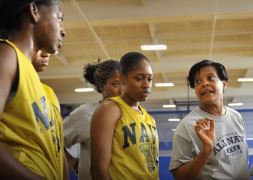 The second tenet of personalization is the use of on-screen coaches to engage students and help facilitate learning. These coaches do not need to be human. Nor do they have to be animated. Coaches can look like people, or they can take the form of animated objects or fantastical creatures. The most important factor to keep in mind is what will work best for the learners. Once again, make sure the “voice” of the coach, either written or spoken, is authentic. The point is to offer an interaction opportunity with a genuine conversational quality.




 Lance McGrath: EDTECH Learning Log